ONBOARDING GUIDE
New Hire Paperwork Checklist: Build an Organized Employee Packet
A practical packet checklist for assigning forms, checking what was received, resolving missing items, and filing each record in the right place.
Important: This guide provides general operational information, not legal advice. Employment requirements vary by location, industry, workforce, and situation. Confirm current requirements with qualified HR or legal professionals.
START WITH THE PACKET
What paperwork should you prepare for a new hire?
Start with the accepted offer and role details, identify the government forms and notices that apply, then add your approved payroll setup, employee information, policy acknowledgments, and role-specific records. Give every item a sender, a reviewer, a due date, and a controlled filing destination.
This is a packet-building framework for U.S. employers. It is not a universal list of legally required documents: location, job, employment arrangement, benefits, and employer size can change what belongs in a packet.
Download the editable new-hire paperwork checklist (Excel). Use it to track completion; keep completed forms and sensitive employee details in your approved records system.
| Packet item | Typical owner | Completion check | Timing to confirm |
|---|---|---|---|
| Accepted offer and role details | Hiring manager + HR | Approved role, location, manager, start date and terms agree | Before preparing the employee record |
| Employment eligibility process | Authorized HR owner + employee | Current Form I-9 instructions followed and employer review completed | Use current USCIS instructions |
| Federal and applicable state/local withholding forms | Payroll + employee | Current forms received through the approved payroll process | Confirm with payroll |
| Employee contact information | Employee + HR | Necessary details confirmed, with an update method | Before the relevant setup step |
| Payment setup | Payroll + employee | Approved payment method and required authorization confirmed | Before payroll’s processing cutoff |
| Policies and acknowledgments | HR + employee | Assigned version, receipt or acknowledgment, and questions recorded | Set by the policy and applicable requirements |
| Benefits and role-specific records | Benefits or qualified role owner | Applicable elections, notices, credentials or training assigned | Use plan and role-specific deadlines |
STEP 01
Build a packet for the actual role and location
Do not send last year’s entire attachment folder to every hire. Begin with the approved offer, the location where the person will work, the employing entity, the manager, and the agreed start date. Have the appropriate owner confirm which documents apply before sending them.
- Create the packet inventory. List each document by its exact title and version. Split forms the employee completes from tasks HR or payroll performs.
- Confirm applicability. Mark each item “required for this hire,” “not applicable,” or “needs review.” Record who made the decision.
- Set the handoff. Name the sender and reviewer. “Employee submitted” and “HR reviewed” are different milestones.
- Give clear instructions. Tell the employee how to open, complete, submit, and get help with the form. Explain what happens next.
- Check accessibility. Confirm the person can use the provided format and has a workable alternative if access fails.
Start with the records system you already use
Before building a new portal, ask the owner of your current HR, payroll, or approved records system to show how it handles the packet. Check one harmless sample document from assignment to retrieval: can the employee open and return it, can the reviewer identify what arrived, and can the right people find the approved copy later?
For an existing paper packet, inventory the pages first. Separate information the employee reads, forms they complete, and checks the employer performs. Confirm the appropriate format and process for each item with its owner; a scanned file or online checkbox is not automatically a substitute for the required process.
Keep the checklist as an index of work, with statuses such as “sent,” “received,” “needs correction,” and “reviewed and filed.” Store the actual documents in the approved system. If one step still requires manual follow-up, name its owner and next action instead of creating a second uncontrolled packet. Use the existing-tool evaluation to decide whether the gap needs a process change or different software.
Keep a separate list of first-day logistics, system access, equipment, introductions, and training. Those belong in the broader employee onboarding checklist; a complete document packet alone does not make someone ready to work.
STEP 02
Use official forms and current instructions
Get Form I-9 and its instructions from USCIS. Assign an authorized owner to check the applicable deadlines, document-review procedure, form edition, and any exceptions. A checkbox in an onboarding tracker does not replace that process.
The IRS explains that employees use Form W-4 to tell their employer how to withhold federal income tax. Direct employees to the official instructions for their choices. Payroll should separately confirm applicable state or local forms.
The downloadable checklist is an organizer, not a bundle of government forms. Linking to the agency’s form page helps avoid distributing an outdated copy from a saved packet.
Have qualified owners confirm local notices, benefits documents, and any role-specific requirements. If an item is unresolved, keep its status visible and assign a review date; do not silently mark it complete.
STEP 03
Review what arrived before you close the task
A submission receipt confirms that something arrived. The reviewer still needs to confirm it belongs to the right person, is legible, uses the intended version, and contains the information or acknowledgment the process requires.
- Check the employee and document identity without copying sensitive details into the tracker.
- Confirm applicable fields and required signatures or acknowledgments with the document owner.
- Record corrections as follow-up tasks with a clear explanation and due date.
- Place the approved record in the correct controlled location.
- Record who reviewed it and when, then update the packet status.
The FTC recommends collecting only necessary personal information and limiting access to people who need it for their work. Avoid using a shared checklist as storage for bank details, identity numbers, medical information, or completed forms. See its business data-protection guidance.
Use our employee-file organization guide to choose categories and record locations before documents begin arriving.
FICTIONAL WORKED EXAMPLE
Follow one missing acknowledgment to a documented finish
Alex Chen is a fictional operations coordinator joining a two-location business. HR sends an approved packet and marks the policy acknowledgment “sent.” Two days later, payroll setup is reviewed, but that acknowledgment is still open.
Make the gap specific
HR records “policy version 2026-09 acknowledgment outstanding,” with a follow-up owner. The task contains no sensitive form contents.
Resolve the blocker
Alex explains that the link opens an old document. HR sends the correct version, answers the question, and records the corrected assignment.
Check the result
HR verifies the returned acknowledgment against the assigned version, files it in the approved location, and records the review date.
Hand off the remaining work
The manager sees the packet item is complete and continues first-week orientation. Equipment and access remain separately owned tasks.
This example is a workflow illustration, not a customer result or a legal determination that an acknowledgment is sufficient.
KEEP THE NEXT STEP VISIBLE
Connect paperwork to an employee’s first week
Before closing the packet, review remaining tasks with the manager: what is complete, what is blocked, who owns the exception, and what needs attention before the employee’s next scheduled activity. Give the employee one clear contact for questions.
A repeatable packet can make administration more consistent, but it still needs someone to maintain the source forms and instructions. Assign a template owner who reviews the packet when a role, location, process, or official form changes.
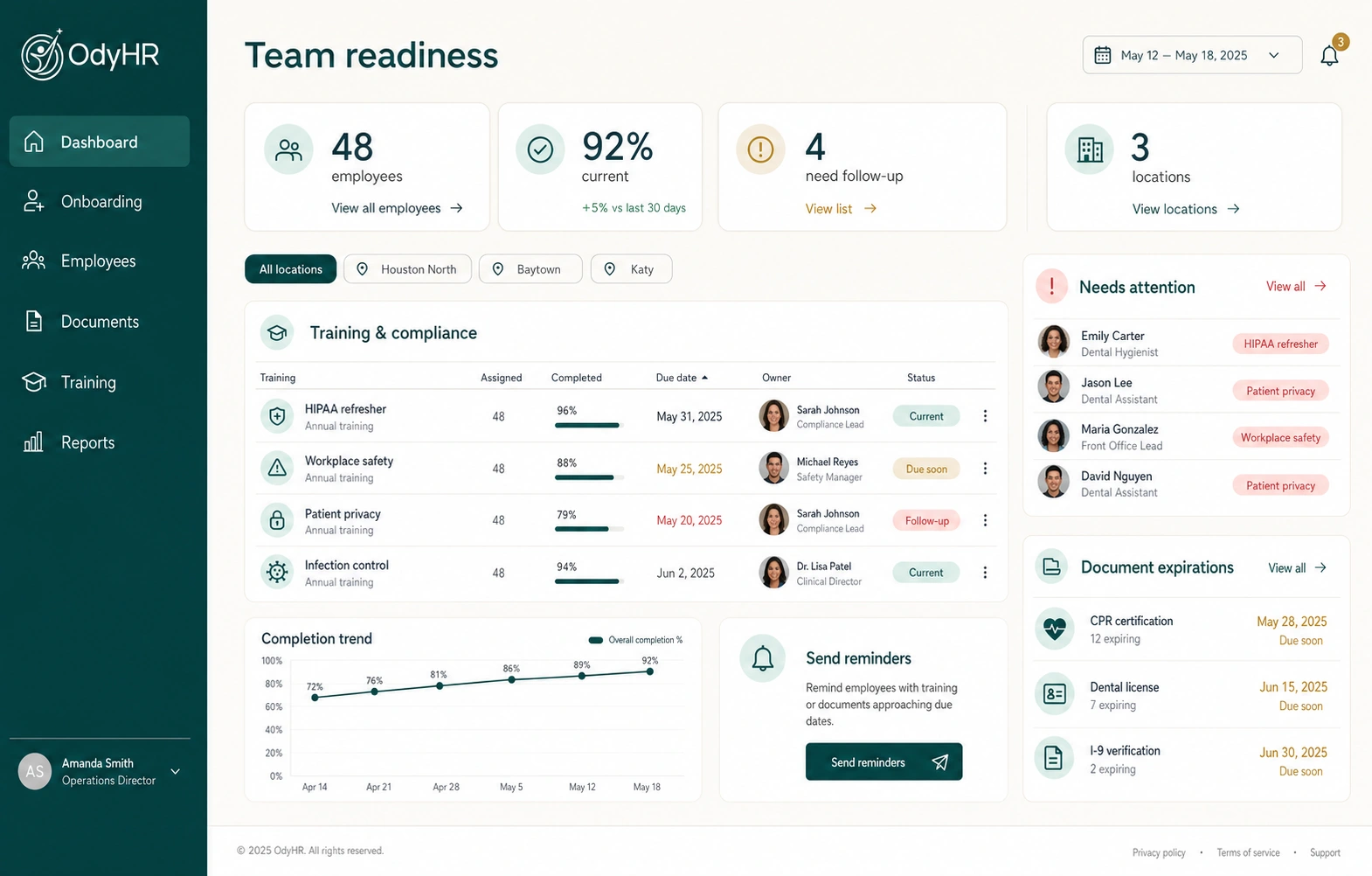
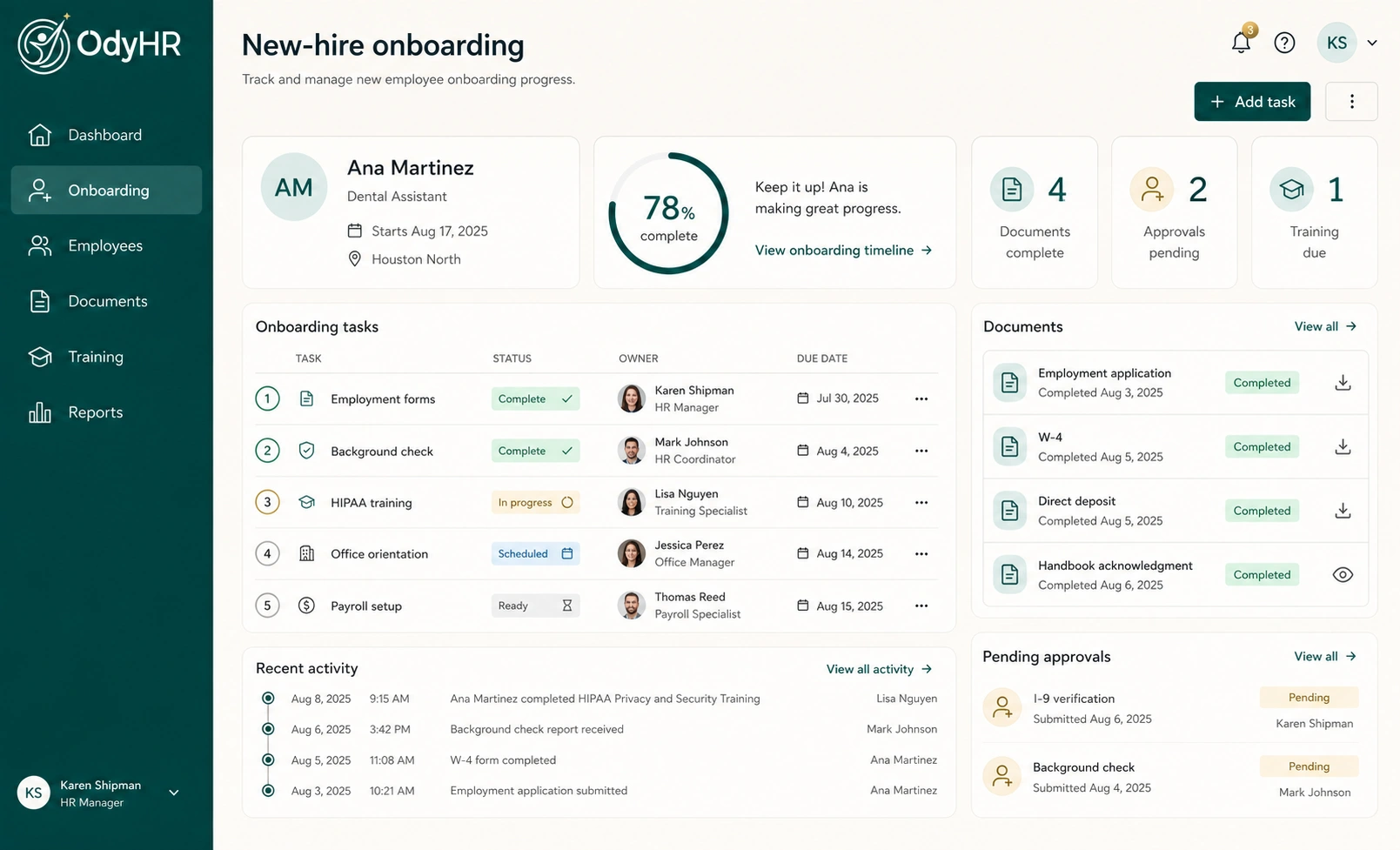
Explore how OdyHR’s onboarding workspace connects documents with owners and due dates, or talk through your current packet process. The interactive demo uses sample records so you can explore the workflow.
AUTHORITATIVE REFERENCES