Connected employee records
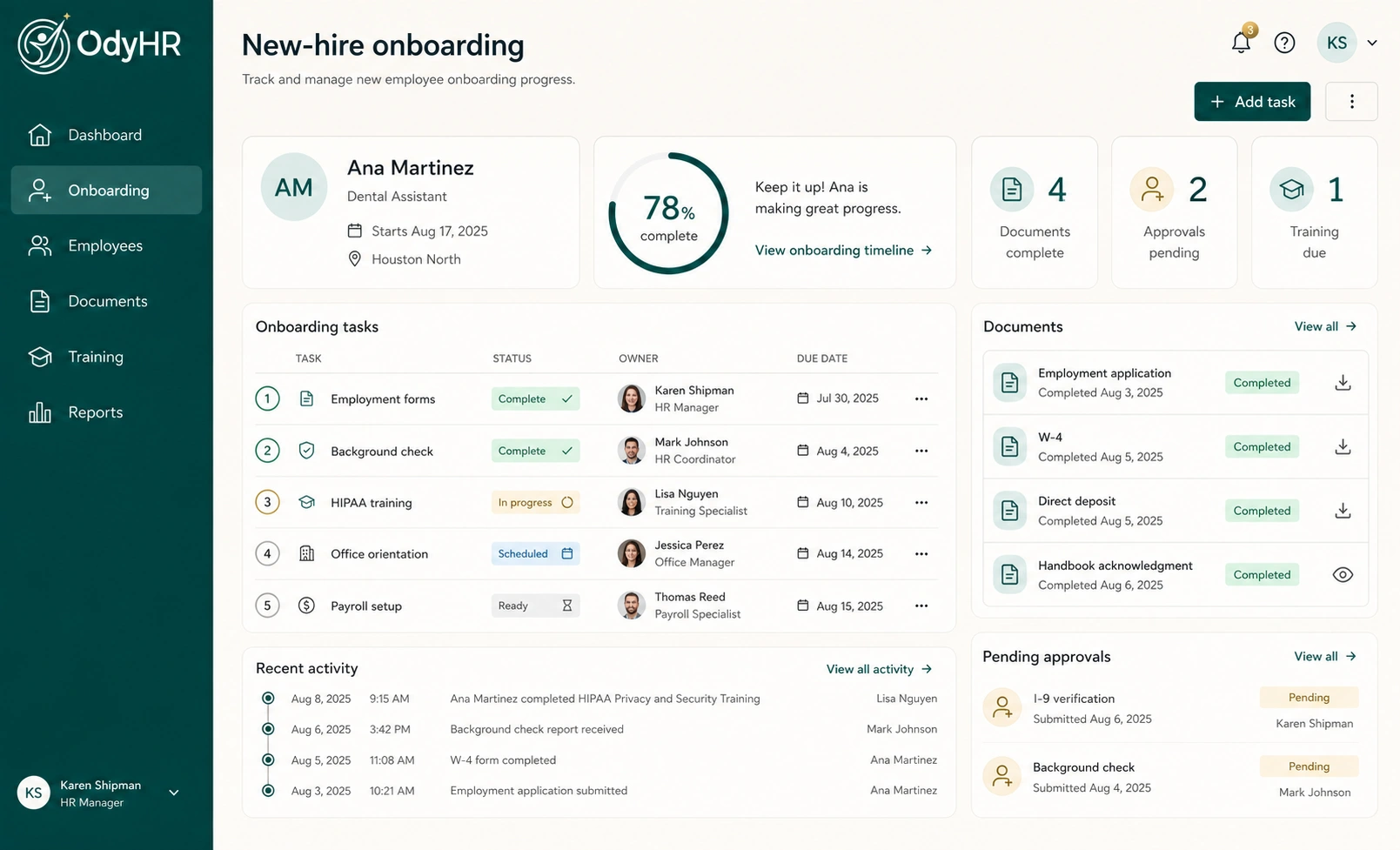
Review employee details, documents, role and location history, training, evaluations, approvals, and dated activity in the same HR workspace. Keep the context of a record close to the record itself.
 Request pricing
 EMPLOYEE DOCUMENT MANAGEMENT SOFTWARE
THE WORK, CONNECTED
Review employee details, documents, role and location history, training, evaluations, approvals, and dated activity in the same HR workspace. Keep the context of a record close to the record itself.
Connect a missing onboarding item or training follow-up to the employee’s workflow. Identify what is still needed and who owns the next action instead of treating every saved file as a completed process.
As hiring becomes onboarding and ongoing employment, keep the employee’s documented history connected. Managers can follow the work relevant to their operation as roles and responsibilities change.
HOW THE WORKFLOW FITS TOGETHER
Check which employee a document belongs to and what business process created it. Confirm the employee’s role and location before filing material against the profile.
Review whether the document is current and whether the underlying action is complete. A draft offer, a requested document, and a completed record represent different stages.
For a missing or incomplete item, agree on an owner and follow-up date. Use the relevant onboarding, training, or manager workflow to keep that work visible.
Return to the employee record when a manager needs context. Review the document alongside relevant training, evaluations, approvals, and dated activity instead of relying on a filename alone.
A WORKED EXAMPLE
A fictional operations team is reviewing Jordan Ellis’s records. This is an example inventory to help plan document organization, not a claim that every category is a separate OdyHR folder.
| Record | What to check | Responsible owner | Next action |
|---|---|---|---|
| Hiring documents | Right employee and completed version | HR coordinator | Review the completed offer record |
| Onboarding items | Required items received and reviewed | HR coordinator | Follow up on the remaining document |
| Training records | Assignment and completion status | Training owner | Resolve the outstanding assignment |
| Performance history | Relevant review and agreed follow-up | Team manager | Record the next progress conversation |
Use your organization’s approved rules for restricted information, access, retention, and disposal. The example is an operating checklist, not a required legal filing structure.
MAKE IT FIT YOUR OPERATION
List who should view, upload, review, and act on each type of record. Bring those requirements to OdyHR and confirm the configured permissions before adding employee information.
Discuss how you will bring in existing records, retrieve a completed file, handle corrections, and manage retention or deletion. Confirm export, signature, and storage requirements against the current implementation.
Start with active employees and the documents your team needs for current work. The file-organization guide below includes an inventory approach, a fictional category map, and an editable cleanup checklist.
TRY THE SAMPLE JOURNEY
The demo illustrates document status and employee history using fictional records. Sample signatures and downloads help explain the journey; they are not live employee transactions.
EXPLORE THE INTERACTIVE DEMOBEFORE YOU CHOOSE
The marketed workspace connects employee details, documents, role and location history, access-related tasks, training, performance evaluations, approvals, and dated activity. Confirm which workflows and views your organization needs during setup.
Documents are connected to the employee record so authorized users can review them in context. Confirm the exact viewing, download, and permission requirements for your team during the product evaluation.
No. Your organization still needs to define its rules for access, retention, corrections, and disposal. Review those requirements against OdyHR’s current implementation before migrating records.
Start with the interactive demo, then request a workflow conversation using fictional or redacted examples. Discuss your record categories, existing files, access requirements, and migration needs before sharing employee information.
LET’S TALK THROUGH YOUR WORKFLOW