ONBOARDING GUIDE
Form I-9 Documents: What to Tell New Hires Without Choosing for Them
Onboarding emails that name specific I-9 documents can cross a line. Here is how to word the instructions so employees choose from the official lists.

Important: This guide provides general operational information, not legal advice. Employment requirements vary by location, industry, workforce, and situation. Confirm current requirements with qualified HR or legal professionals.
When you tell a new hire what to bring for Form I-9, do not name specific documents. Tell them to choose original, unexpired documents from the official Lists of Acceptable Documents: either one document from List A, or one from List B plus one from List C. Give them the lists, the deadline, and the name of the person who will examine their documents. A line like "bring your driver's license and Social Security card" picks the documents for them, which the Form I-9 instructions say employers cannot do.
This guide covers the wording in offer follow-ups, welcome emails and reminders. It is not a complete guide to completing Form I-9 or using E-Verify, and it is general information, not legal advice. Have the person responsible for employment verification approve your final instructions.
What the Form I-9 instructions say about document choice
USCIS publishes Form I-9 and its instructions on the Form I-9 page. As of October 2026 that page lists 01/20/25 as the current edition date, printed at the bottom of each page. Check it before you reuse a saved copy from an old onboarding packet.
The Form I-9 instructions set out the choice rules plainly:
- The employee chooses. Employers must allow all employees to choose which acceptable documentation to present, and cannot specify which documents an employee must present.
- List A, or List B plus List C. List A documents show identity and employment authorization. List B shows identity only and List C shows employment authorization only. Someone who presents an acceptable List A document should not be asked for List B and C, and the reverse is also true.
- Receipts can count in certain cases. An acceptable receipt may stand in for a List A, B or C document for a limited time. Your verification owner should handle these using USCIS guidance.
- No extra proof for Section 1. Employers cannot ask for documents to verify what the employee wrote in Section 1, and should not reject acceptable documents because of a future expiration date.
USCIS also says employers must give employees the Lists of Acceptable Documents and access to the instructions, either on paper or as a link. A link to the official page is easier to keep current than a chart your team retypes.
Why naming documents in a welcome email is a problem
The Justice Department's Immigrant and Employee Rights Section (IER) enforces the anti-discrimination provision of the Immigration and Nationality Act. Its FAQs say employers of any size cannot engage in unfair documentary practices during the I-9 and E-Verify processes. That includes, on the basis of citizenship, immigration status or national origin, asking for more or different documents than required, rejecting documents that reasonably appear genuine, or specifying certain documents over others.
A copied checklist line usually is not meant to discriminate. But it reads as an instruction, new hires tend to follow it, and it invites uneven handling. Watch for these patterns:
- One required combination, such as a driver's license and Social Security card, or "your passport"
- Requests for extra documents "just in case"
- Different instructions for employees who are, or seem to be, noncitizens
- Asking to see a specific document because of a number the employee entered in Section 1
IER's FAQs address that last one directly: an employer may not ask for a specific document with that number based on the worker's citizenship status.
How to word the onboarding instructions
A short, neutral message is enough. Here is a fictional sample to adapt with your verification owner:
"Before or on your first day, you will complete Section 1 of Form I-9. Within three business days after your first day of work, you will show original, unexpired documents of your choice from the Lists of Acceptable Documents (link). You can show one document from List A, or one from List B and one from List C. You choose which acceptable documents to present. Questions? Contact [name, role, phone or email]."
Check that every version includes:
- A link to, or paper copy of, the official Lists of Acceptable Documents
- A clear statement that the employee chooses which acceptable documents to present
- The timing: Section 1 no later than the first day of employment, and Section 2 completed within three business days after the first day. For a Monday start, that means by Thursday. If the job lasts fewer than three business days, Section 2 is due by the first day.
- Where and how documents will be examined
- A named contact and a backup
Keep payroll requests separate from I-9
IER's FAQs say an employer may ask for a Social Security card for payroll purposes, even though it cannot require that card for employment eligibility verification. IER recommends two practices: keep the Form I-9 process separate from other processes that involve document requests, and explain the reason for each request. The same FAQs say employers should not ask to see the card just to check the number written in Section 1.
In practice, that means separate messages or clearly labeled sections. Payroll setup, tax forms and direct deposit go in one place, labeled as payroll. I-9 instructions go in another. Use your employee information form for contact details, emergency contacts and job information, and do not add an "I-9 documents" field to it. Your new hire paperwork checklist can show that the I-9 step is assigned and complete without listing which documents the employee showed.
Only describe remote examination if you qualify
The default is physical examination of original documents. USCIS allows a remote alternative procedure only for employers that participate in E-Verify in good standing, at their E-Verify hiring sites. The USCIS remote examination page describes the steps, including examining copies of the documents, a live video interaction, and keeping clear copies.
So do not tell new hires to "email a photo of your ID" unless your verification owner has confirmed you are eligible and following the procedure. If you offer remote examination at a hiring site, USCIS says to offer it consistently to all employees there. You may limit it to remote hires, as long as the choice is not discriminatory and does not treat employees differently based on citizenship, immigration status or national origin.
Find every old instruction and name an owner
Outdated wording survives in places nobody checks. Review the offer follow-up, welcome email, appointment reminders, printed checklists, and the texts that location managers send. Record where each version lives and who can change it, then replace them all with the approved message so one manager is not still using last year's version.
Tell front-desk staff and supervisors when to stop and hand off. If an employee presents a document or receipt someone does not recognize, route it to the authorized reviewer instead of guessing or posting a photo in a group chat. IER notes that contacting IER before rejecting a document only because it is unfamiliar can help an employer avoid an unfair documentary practices claim.
Finally, ask someone who did not write the message to read it as a new hire. Can they find the official lists, tell that the choice is theirs, and see who to call? If not, fix it before the next reminder goes out. State law can add its own verification rules, so confirm local requirements too.
Where onboarding software fits, and what it does not do
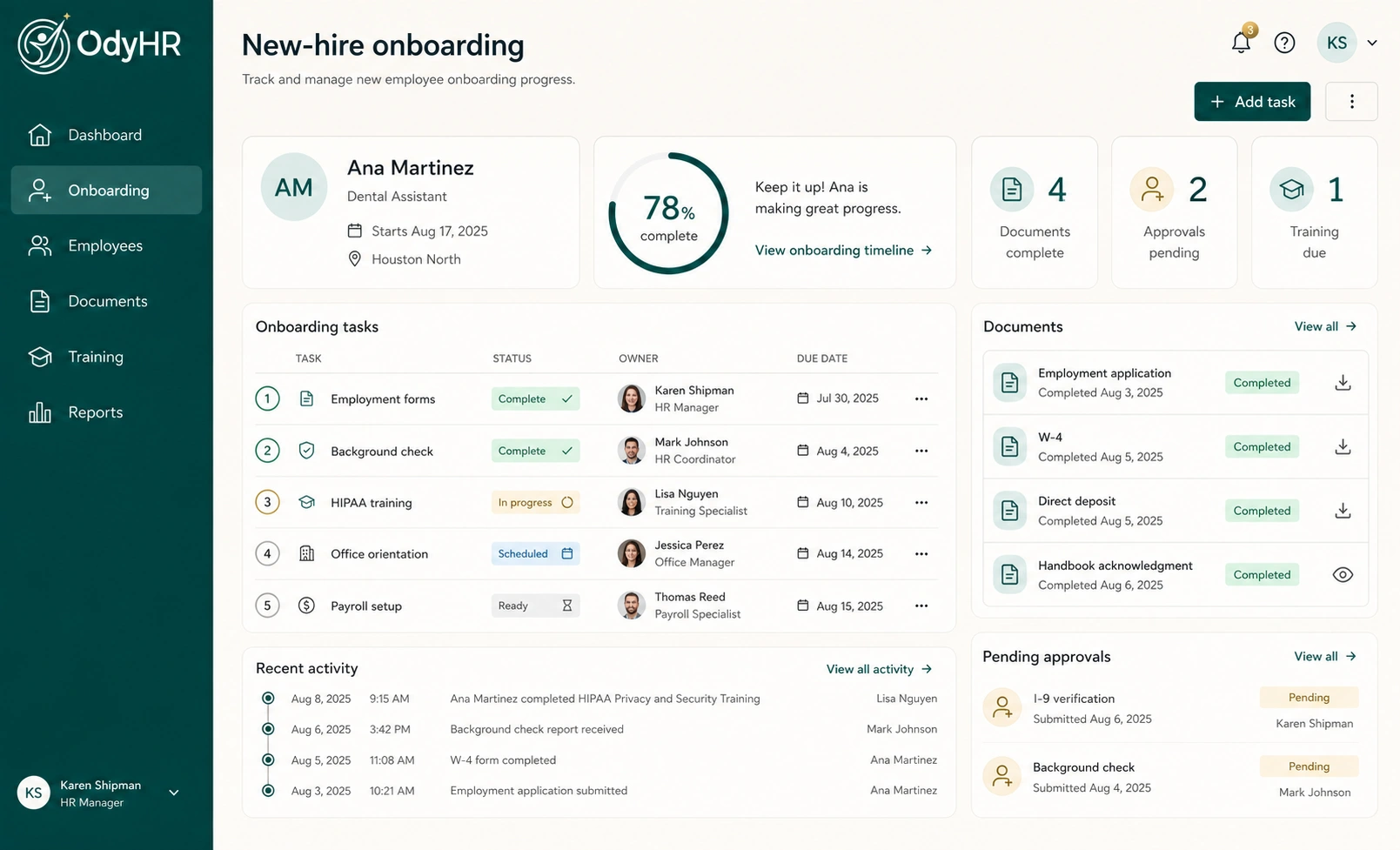
A tracker can make sure the I-9 step has an owner and a due date, but it does not replace the verification process. OdyHR's onboarding keeps employee details, assigned tasks, documents, training, owners, due dates and readiness together, so a step such as "Section 2 completed by authorized reviewer" can have a named owner and a deadline that everyone can see.
OdyHR does not complete Form I-9, examine identity documents, connect to E-Verify, or confirm that your process is compliant. Those responsibilities stay with you as the employer, along with storing completed I-9 forms and any document copies in the process your verification owner approves.
Questions
Can I tell a new hire to bring a driver's license and Social Security card for the I-9?
No. The Form I-9 instructions say employers cannot specify which acceptable documents an employee presents. Point the employee to the official Lists of Acceptable Documents and let them choose one List A document or one List B plus one List C document.
Can I ask for a Social Security card for payroll?
IER says an employer may request a Social Security card for payroll purposes. Keep that request separate from the Form I-9 process and explain that it is for payroll.
How long does a new employee have to present I-9 documents?
Section 2 must be completed within three business days after the employee's first day of employment. If the person will work fewer than three business days, it must be completed by the first day.
Can we review I-9 documents over video?
Only if you participate in E-Verify in good standing and follow the DHS-authorized alternative procedure at that hiring site. Otherwise, documents must be physically examined.
AUTHORITATIVE REFERENCES
Sources used for this guide
- Form I-9, Employment Eligibility VerificationU.S. Citizenship and Immigration Services ↗
- Instructions for Form I-9 (edition 01/20/25)U.S. Citizenship and Immigration Services ↗
- Form I-9 Acceptable DocumentsUSCIS I-9 Central ↗
- Remote Examination of DocumentsUSCIS I-9 Central ↗
- IER Frequently Asked QuestionsU.S. Department of Justice, Civil Rights Division ↗