Openings on your website
Present your open roles through a company careers experience. Give applicants the role and location information they need, with a clear route into your application process.
 Request pricing
 COMPANY JOB BOARD SOFTWARE
THE WORK, CONNECTED
Present your open roles through a company careers experience. Give applicants the role and location information they need, with a clear route into your application process.
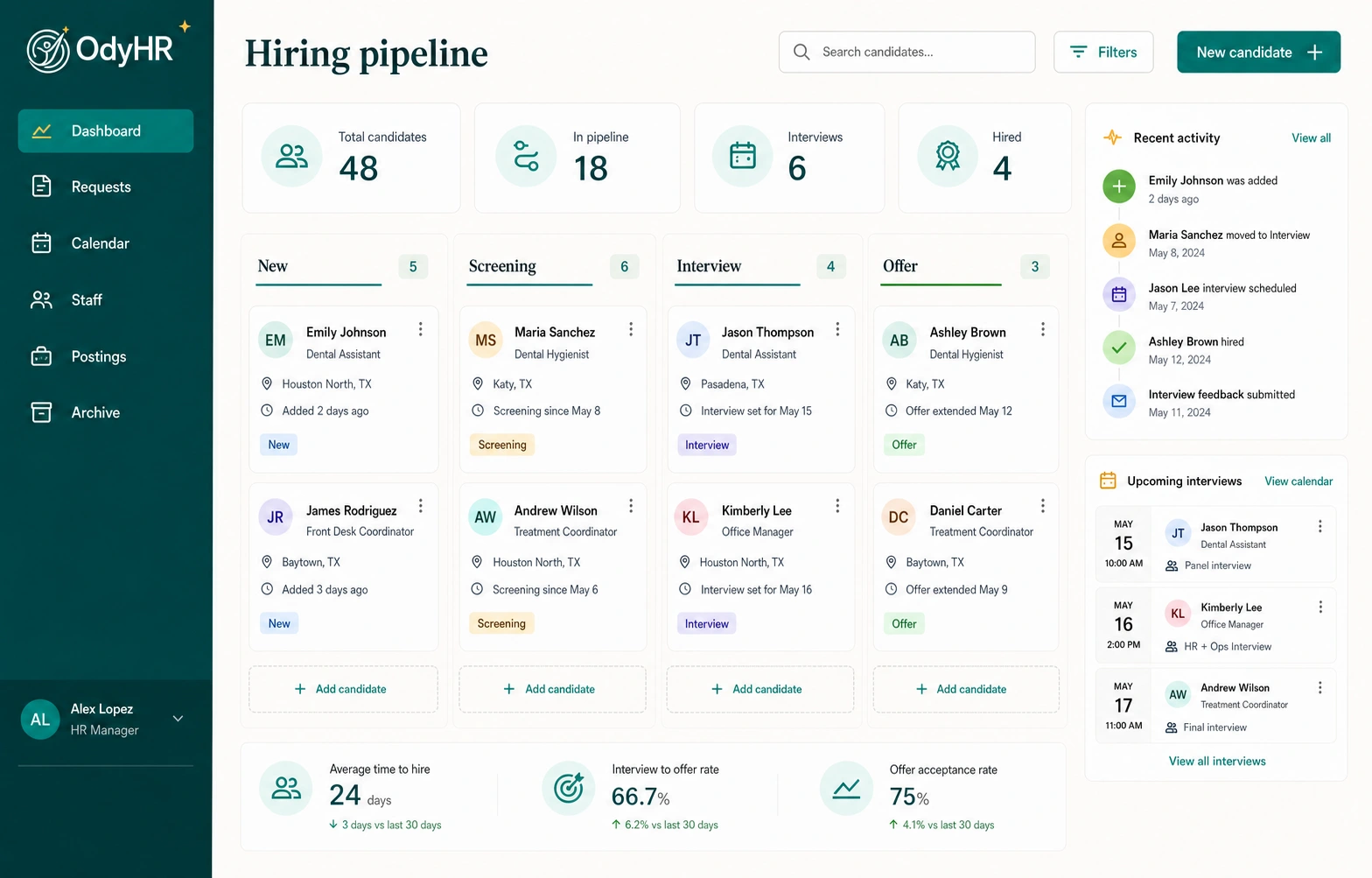
Connect online applications and résumé uploads to candidate review. Keep the hiring team working from the candidate’s record as interviews, notes, offers, and next actions develop.
Follow the candidate through the pipeline and into onboarding. Carry the context of the hiring process forward when your team is ready to bring the person into the organization.
HOW THE WORKFLOW FITS TOGETHER
Confirm the title, location, working arrangements, responsibilities, and application destination. Have the hiring owner review the description before it appears on the careers page.
Check the company-site listing on a phone and a larger screen. Follow the application route, verify the requested information, and use an agreed test process before directing candidates to it.
Work through applications and résumés in the candidate workflow. Keep interview scheduling, notes, and offer status connected so the next reviewer has the context they need.
When the hiring decision is complete, confirm the role, location, manager, and start date. Move into onboarding with ownership for documents, access tasks, and first-day readiness.
A WORKED EXAMPLE
A fictional business is hiring an Operations Coordinator. The launch checklist below separates publishing the role from the work of responding to applicants.
| Stage | Owner | Check | Next step |
|---|---|---|---|
| Role ready | Hiring manager | Title, responsibilities, and location approved | Send the final details to the publishing owner |
| Careers page ready | Website / HR owner | Listing and application route work on mobile | Publish the approved opening |
| Application received | Hiring coordinator | Application and résumé are available for review | Assign the candidate’s next action |
| Hire confirmed | HR + hiring manager | Role, manager, location, and start date confirmed | Begin the onboarding workflow |
This is an illustrative launch process. The interactive demo’s jobs and applications are fictional and do not submit applications to a real employer.
MAKE IT FIT YOUR OPERATION
Start with your existing website and careers URL. Discuss a customer careers page, an embedded board, or a feed-based presentation with the OdyHR team; confirm which publishing approach is available and appropriate for your setup.
Decide who approves new roles, checks application routing, and closes filled or withdrawn positions. Include location changes and general applications in that process so applicants reach the right team.
A company job board gives your own website a recruiting workflow. Posting to external job boards depends on the provider and configured publishing arrangement. Include any specific distribution requirement in your evaluation.
TRY THE SAMPLE JOURNEY
The interactive demo connects a sample job listing to a fictional candidate record. You can see how the handoff works without applying for a real job or contacting a candidate.
EXPLORE THE INTERACTIVE DEMOBEFORE YOU CHOOSE
It is the part of an employer’s website or careers experience that presents its open roles and directs people into its application process. In OdyHR, company-site recruiting connects to candidate review and the hiring workflow.
Bring your current website and careers-page requirements to the setup discussion. A careers-page link, embedded board, or feed-based approach may fit different websites; confirm the supported publishing option and who will implement it before launch.
Company-site publishing and external distribution are separate requirements. This page describes recruiting through your own website. Any external provider, connection, or distribution arrangement needs to be confirmed for your setup.
The hiring workflow connects applications and résumés with candidate review, interviews, notes, offer tracking, and the onboarding handoff. Define the responsible manager and application process during setup so each candidate has a clear next action.
LET’S TALK THROUGH YOUR WORKFLOW