CONNECTED WORKFLOWS

One organized workflow from
job post to offboarding.

Follow the work from a role on your company website through hiring, onboarding, account and resource-access tasks, employee development, approvals, and departure records.
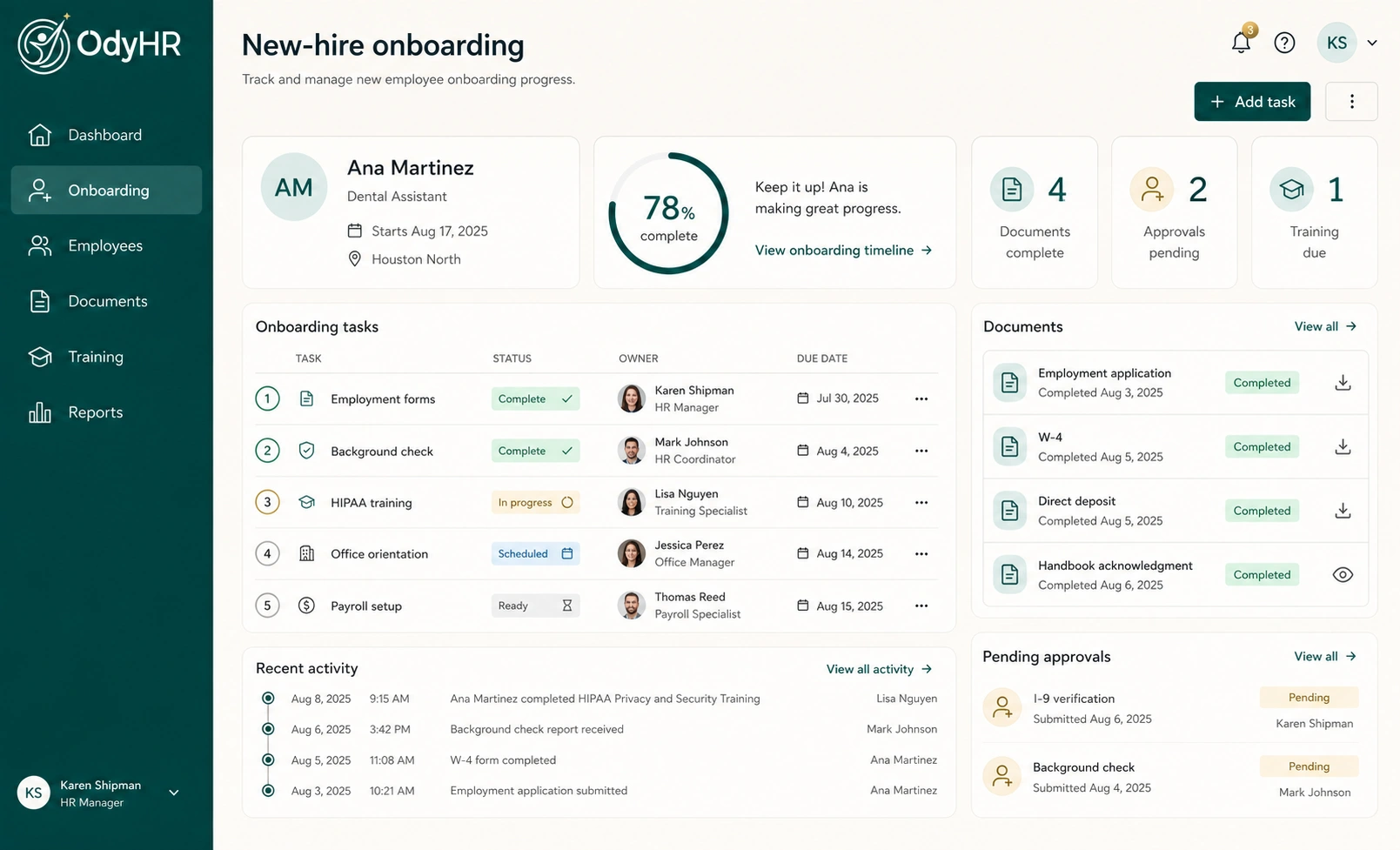
OdyHR onboarding workflow with tasks, owners, due dates, and progress
ODYHRONE CLEAR HR WORKSPACE

01 / HIRING WORKFLOW

An organized workflow keeps the hiring process moving forward.

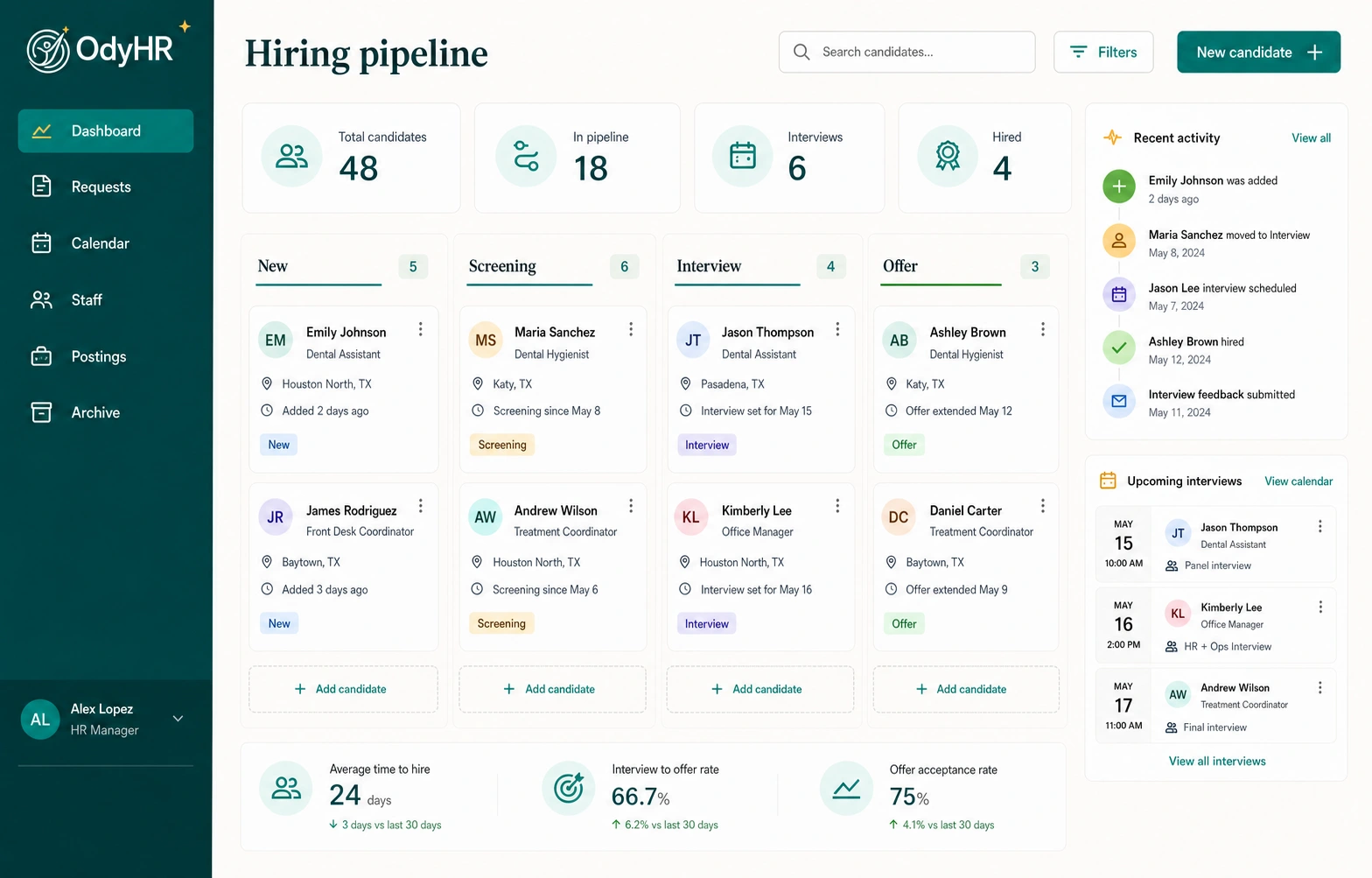
Create a direct path from an open role on your company website to a reviewed candidate in OdyHR.
  1. 01Job opening created
  2. 02Published on company website
  3. 03Application and résumé received
  4. 04Management review
  5. 05Interview scheduled
  6. 06Offer sent and tracked
OdyHR hiring workflow showing candidate stages, recent activity, and next steps
HIRING WORKFLOW · ONE CONNECTED CANDIDATE STORY

02 / ONBOARDING + ACCESS WORKFLOW

From accepted offer to day-one readiness.

Give employee details, account setup, resource-access requests, documents, and training a clear owner, status, and due date.
  1. 01New-hire profile created
  2. 02Employee details confirmed
  3. 03Account setup assigned
  4. 04Resource access requested
  5. 05Documents and training completed
  6. 06Day-one readiness confirmed
OdyHR onboarding workflow with tasks, forms, approvals, owners, and deadlines
ONBOARDING WORKFLOW · CLEAR OWNERS AND DUE DATES

03 / EMPLOYEE RECORD WORKFLOW

Build a Complete Work History.

Keep documents, access-related tasks, dated activity, training, performance evaluations, approvals, role changes, and location history connected to the right employee.
  1. 01Employee profile created
  2. 02Documents organized
  3. 03Access-related tasks recorded
  4. 04Training and evaluations added
  5. 05Role and location changes retained
  6. 06Approvals and dated activity recorded
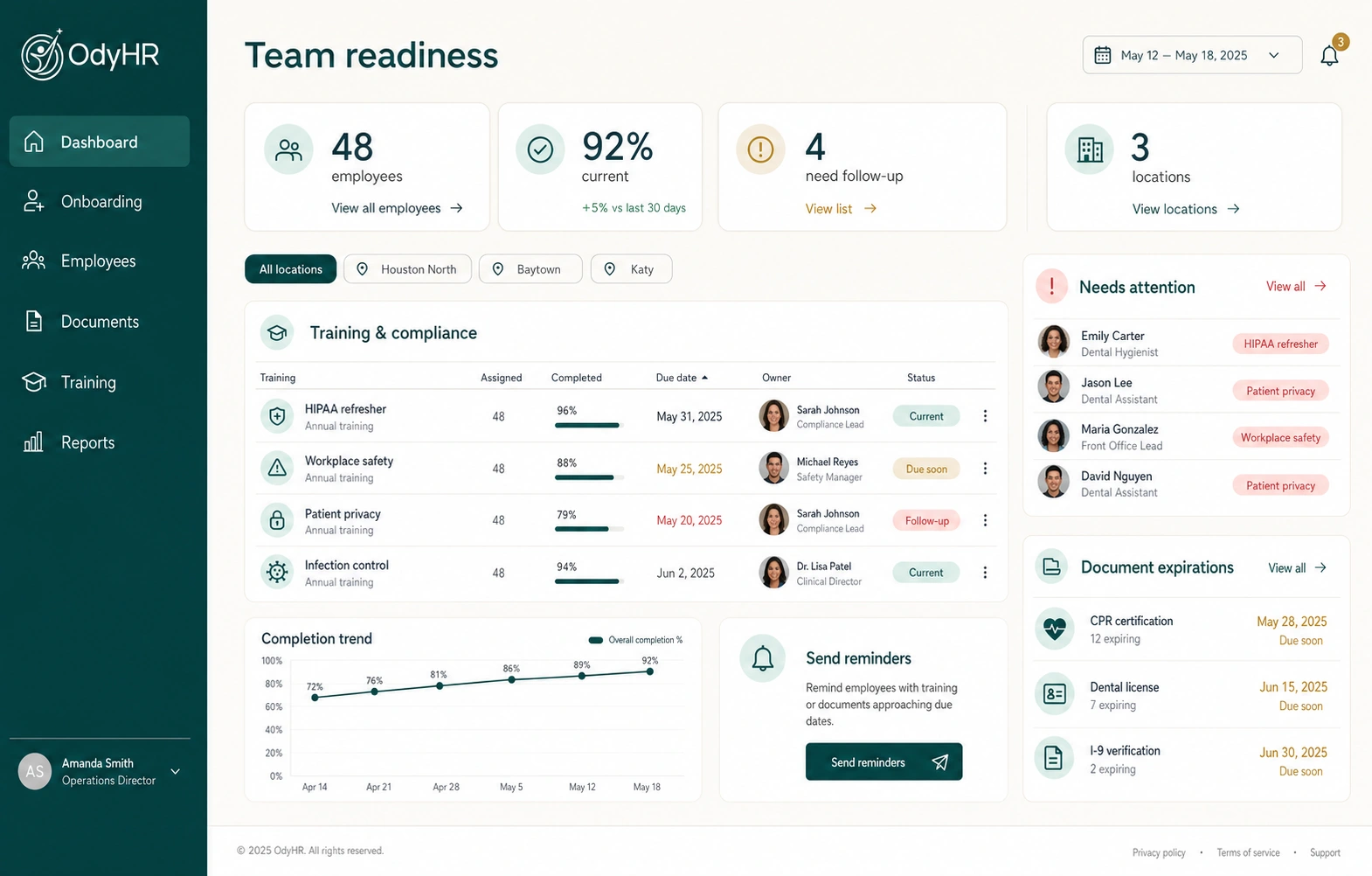
OdyHR employee record and training readiness workflow
EMPLOYEE RECORD WORKFLOW · INFORMATION IN CONTEXT

04 / TRAINING + PERFORMANCE WORKFLOW

Connect employee development to documented action.

See training progress, completion, evaluation history, management review, deadlines, and the next action.
  1. 01Training assigned
  2. 02Progress and completion recorded
  3. 03Expectations documented
  4. 04Evaluation added
  5. 05Management approval completed
  6. 06Next action tracked
OdyHR training workflow with course completion, due dates, and employee follow-up
TRAINING WORKFLOW · READINESS ACROSS THE TEAM

05 / OFFBOARDING WORKFLOW

Keep the final process clear and documented.

Track responsibilities, account and resource-access removal, equipment return, approvals, retained records, and final actions as a departure moves toward completion.
  1. 01Departure initiated
  2. 02Responsibilities assigned
  3. 03Account and resource-access removal assigned
  4. 04Equipment return confirmed
  5. 05Management approvals completed
  6. 06Completion history retained

06 / ORGANIZATIONAL STRUCTURE + ACCESS APPROVALS

Built around your organization.
Clear at every level.

Organize OdyHR around the roles, managers, teams, and locations that shape your operation, then keep access responsibilities, approvals, and next steps visible.
ROLE

Who owns the work?

Connect responsibilities and follow-ups to the managers and roles responsible for moving them forward.
LOCATION

Where is the work happening?

Organize employee information and workflow visibility around the locations in your business.

APPROVAL

What happens next?

Keep management approval, access-related responsibilities, and the next action visible across onboarding, records, training, evaluations, and offboarding.

BRING YOUR WORKFLOW

See how your current process could move inside OdyHR.

Start with your careers page, hiring, onboarding, account and resource-access tasks, complete work history, training, evaluations, organizational structure, approvals, and offboarding.